Most of the filing repeats
Year over year, much of a 10-K carries over. The edits that matter, like a new risk factor or a reworded note, sit among hundreds of pages that didn’t change.
Financial filings
Put this year’s 10-K next to last year’s, one quarter’s financial statements next to the next, or an S-1 next to its amendment. PDF Diff highlights every changed number, new sentence, and deleted line, so you can read what moved instead of rereading the whole filing. Drafts stay on your computer.


Year over year, much of a 10-K carries over. The edits that matter, like a new risk factor or a reworded note, sit among hundreds of pages that didn’t change.
A new period updates figures across every statement and note. Spotting which lines changed, and which columns are new, by eye is slow and easy to get wrong.
An S-1/A or 10-K/A replaces the whole document, and a marked copy isn’t always public. Readers are left to find the edits themselves.
Before filing, draft statements and disclosures are material nonpublic information. Comparing drafts shouldn’t mean uploading them to a web service.
Open the earlier version on the left and the later one on the right, press Start, and review the highlighted result.
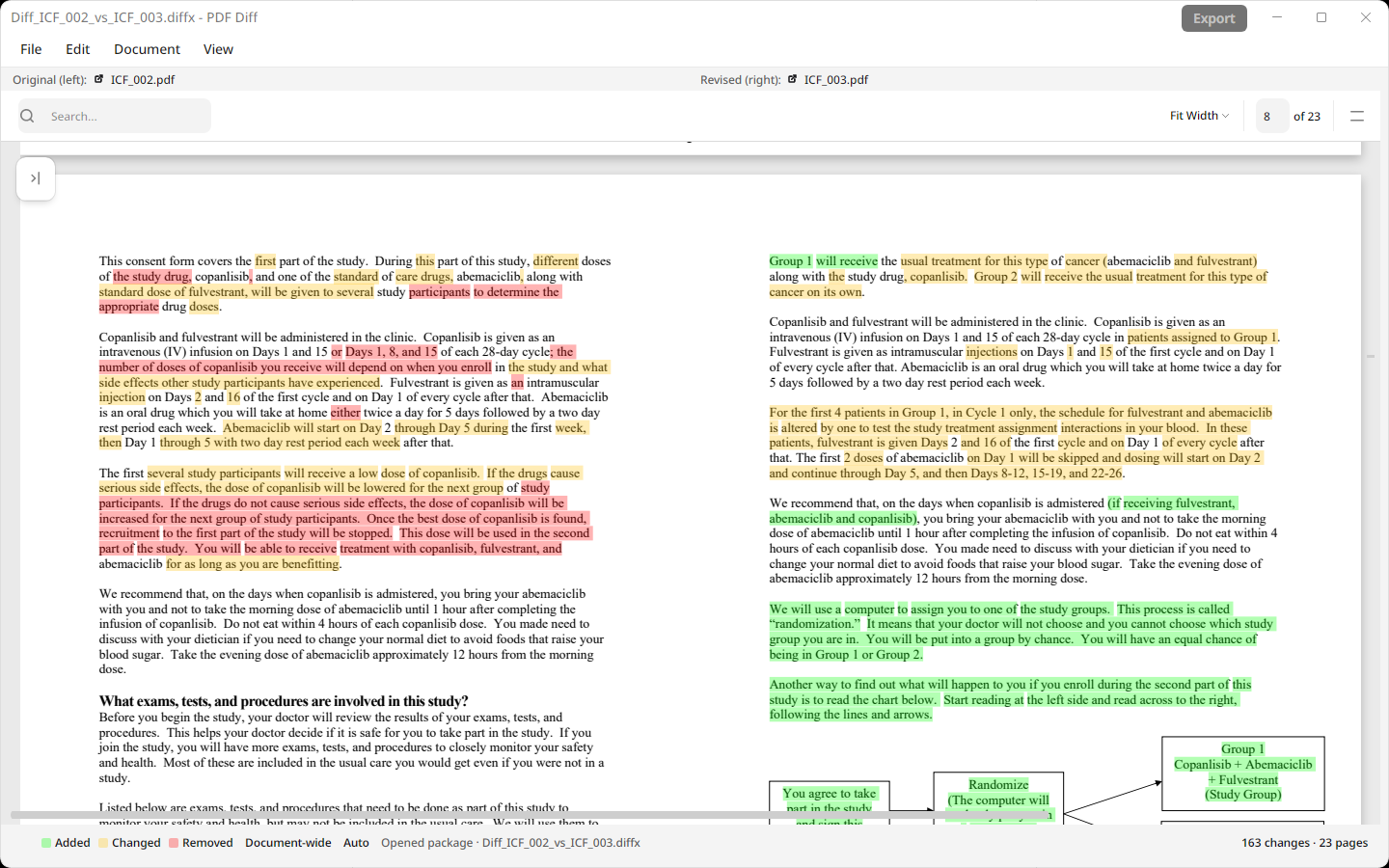
Changed numbers and words are highlighted amber in both versions, new text green, and removed text red, line by line through the statements and notes.
When a filing grows or shrinks, Auto alignment matches pages by their content instead of their page numbers.
Details lists how many changes there are, which pages they’re on, and how the pages were matched.
Export a highlighted, side-by-side PDF for a colleague or your working papers, or save a .diffx file to reopen later.
Filings and drafts are processed on your computer. There’s no account, no upload, and no API key.
Most filings on SEC EDGAR are HTML pages. Open each one in your browser and save or print it as a PDF, then compare the two PDFs.
Real documents, compared in the app
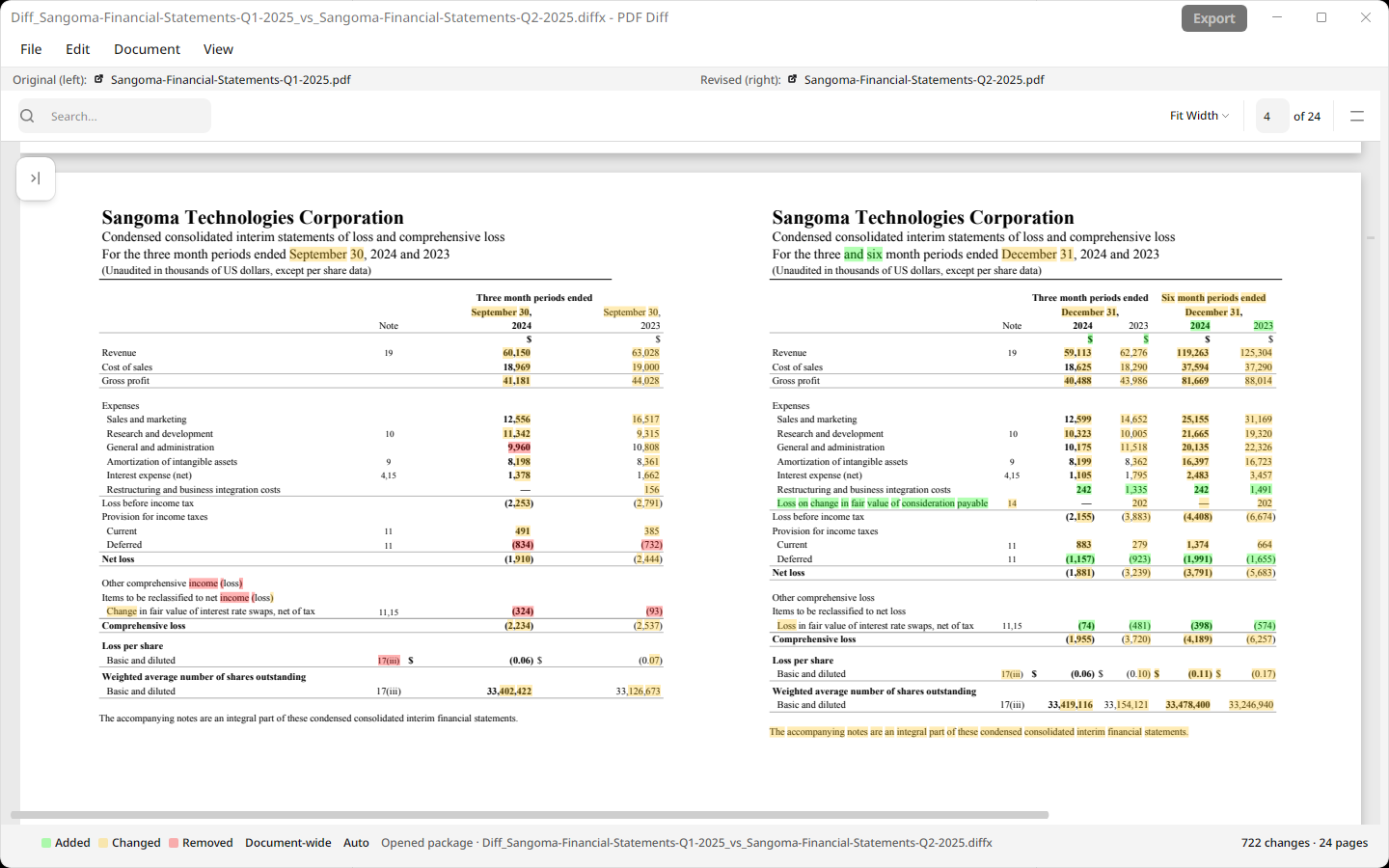
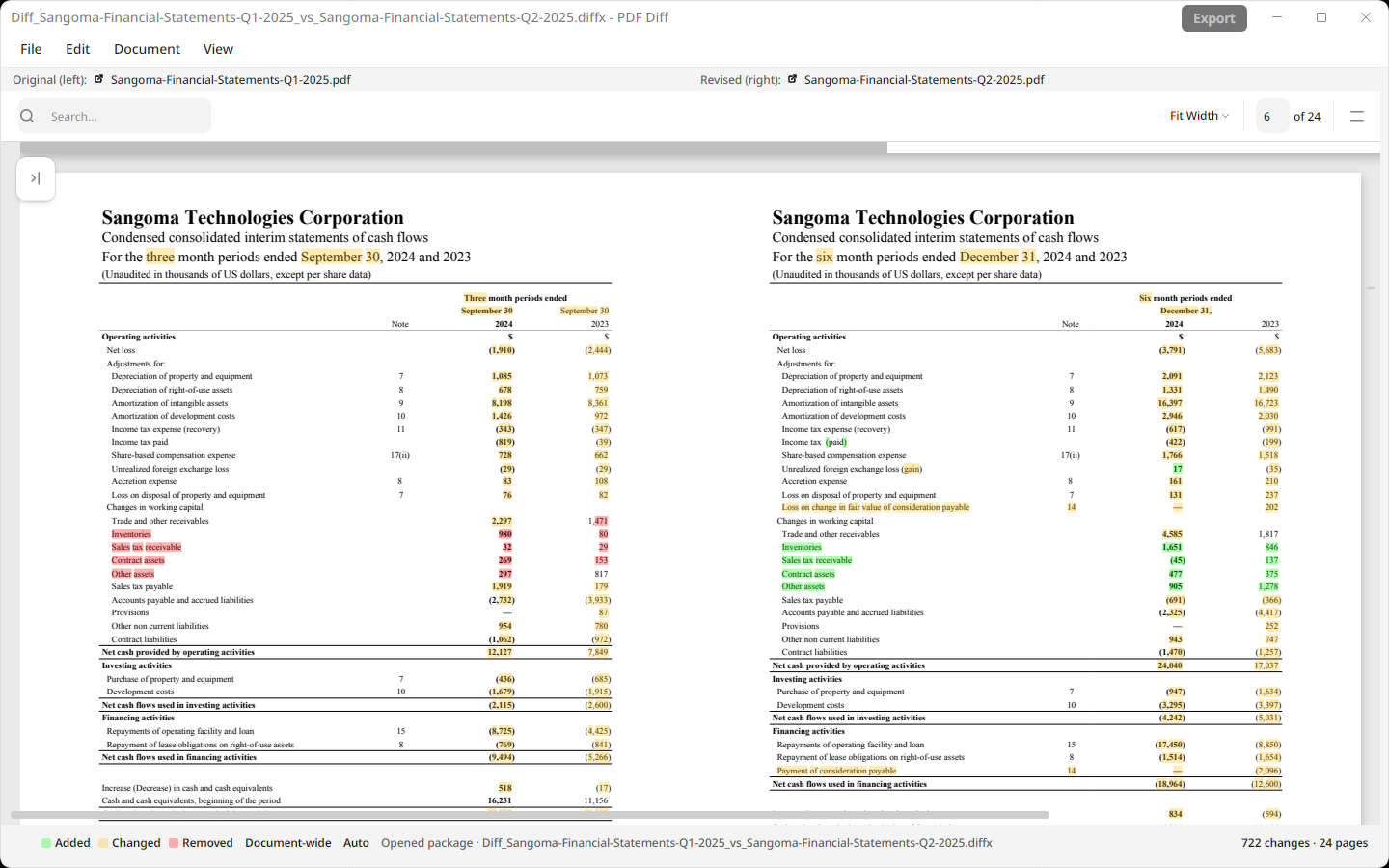
Under Examples › SEC 10k, PDF Diff includes a comparison of two sets of condensed consolidated interim financial statements from Sangoma Technologies Corporation. The first covers the three months ended September 30, 2024 (fiscal 2025 first quarter). The second covers the three and six months ended December 31, 2024 (second quarter). Sangoma furnished both to the SEC on Form 6-K, on November 6, 2024, and February 5, 2025.
The second-quarter statements add six-month columns. The comparison shows those new columns in green, alongside changed figures, dates, and note text in amber throughout the statements and notes.
Try it yourself: in PDF Diff, choose Examples in the menu bar, or on the empty History screen, then SEC 10k. The result is included, so it opens without running a new comparison.
Text extraction, page matching, and comparison all run on your Mac or PC. PDF Diff doesn’t upload your files, extracted text, or results to Palm Hill or any comparison service.
Yes. Save both filings as PDFs, open last year’s on the left and this year’s on the right, and press Start. The same works for 10-Qs, proxy statements, S-1 amendments, and other filings.
Many filings on EDGAR are HTML. Open the filing in your browser and use Save as PDF or Print to PDF. Some companies also publish PDF versions on their investor relations sites.
A new period changes most numbers in the statements, and added columns shift the figures around them. Use the highlighted pages and the Details summary to decide where to focus.
No. Document processing, page matching, and comparison run on your computer. Your files and results aren’t sent to Palm Hill or to a comparison service. App privacy details.
No. PDF Diff compares the text of two documents. It doesn’t read XBRL tags or interpret what a change means.
Free to install. Your documents stay on your computer.